
How to calibrate a Zebra printer
A simple guide to calibrating your Zebra printer
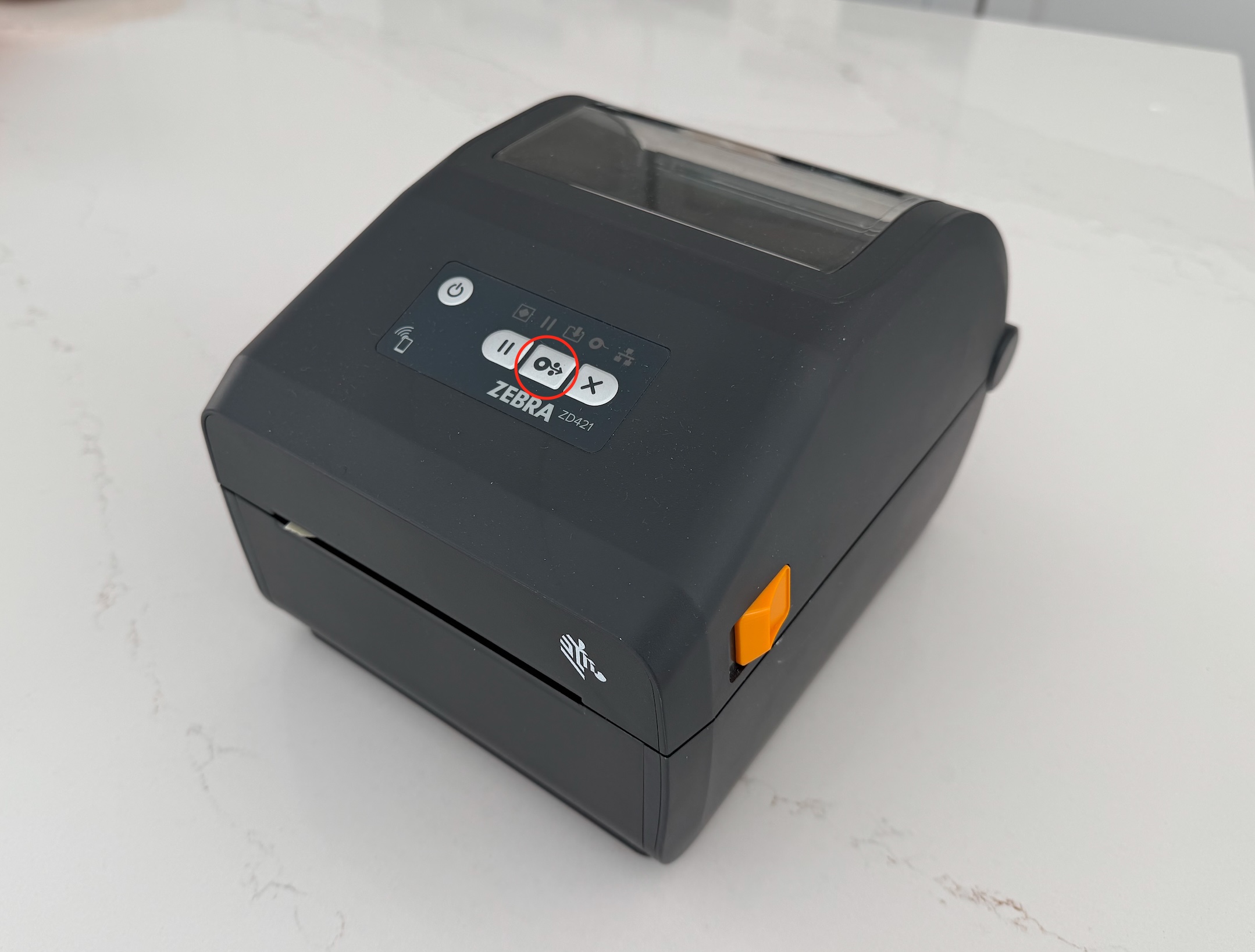
Step by step guide to calibrating your printer
The easiest and most reliable way to calibrate your printer will be via the buttons on the printer itself. Depending on the model you may be able to use an app, or you could use something like Badgy to request the printer to calibrate itself too if required.
- Insert the stock you will be using into your printer. In the case of labels you will insert them into the hangers on the inside of the printer, for fanfold you need to feed them through the back of the device. Both types of stock must slide under the pair of tabs inside the printer and should also be fed far enough as to peek out of the front slot when the printer is closed.
- Now turn on the printer.
- Models such as the ZD220d will require you to start calibration by holding the feed button until you see 2-3 flashes before releasing. Other models such as the ZD421 require you to hold the Pause + Cancel buttons for around 2 seconds to start calibration.
- The printer will now begin to measure the labels.
A top tip when calibrating or testing badges printing using fanfold stock is to turn off the cutter in the printer settings to avoid tearing the badges. You can then pull these badges back through the device as to not burn through too many in your testing.
Why do I need to calibrate my printer
Printer calibration is vital in order for the printer to print correctly. It allows the printer to measure your stock by passing it over a sensor. There are further printer settings available for fanfold stock to decide how the printer should measure the print stock. This will be dependent on the stock itself.
Run your next event with Badgy.app
Badgy.app makes registration and beyond look and feel professional.
👉 Ready to take your next event to the next level?
Get started with Badgy.app today. You can book a demo here
Ready to take your event to the next level?
